 TitanX Minimal
A calm home screen that helps you use your phone on purpose.
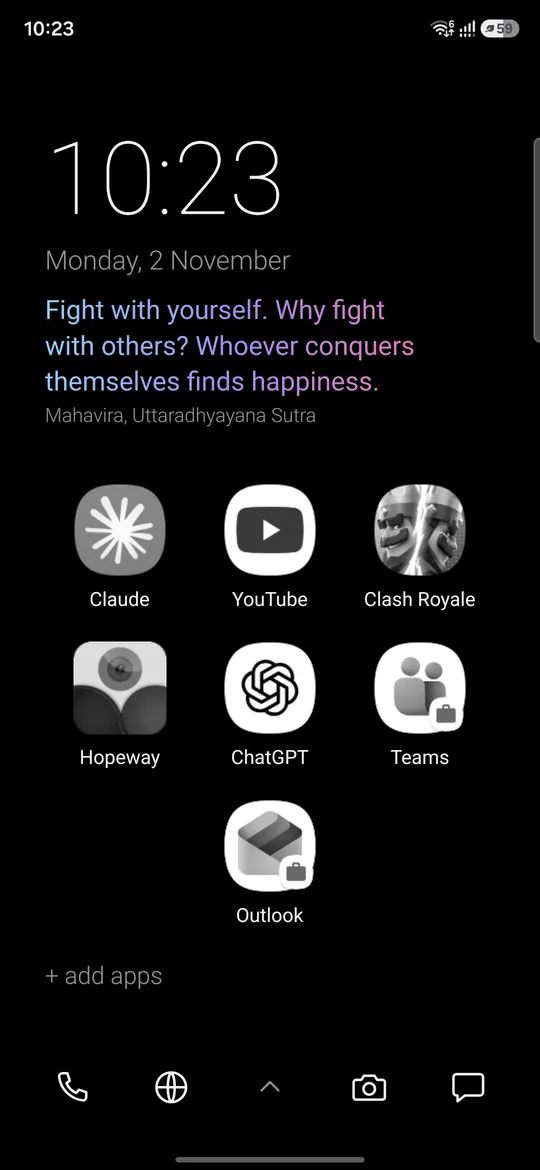
TitanX Minimal replaces your home screen with a quiet, black space showing only the apps you choose, as clean names or as a grid of icons in black & white or colour.
Version 1.3.0 · 325 KB · Android 11+ · Free from titanx.tech
Coming to Google Play.
01 Screenshots
See it on a phone.
-
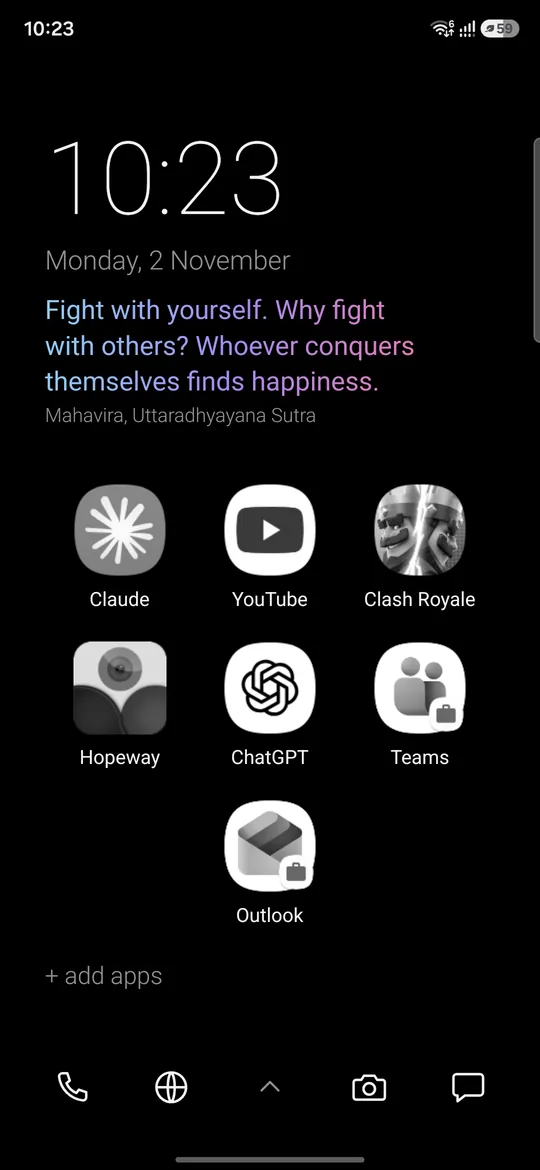
Home as a grid, in black & white -
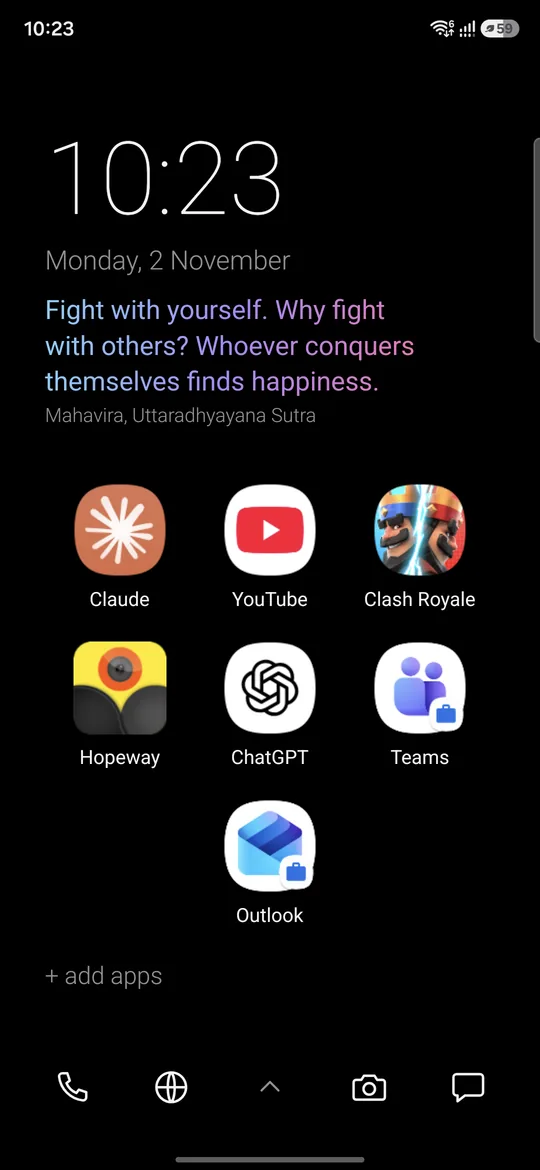
The same grid, in colour -
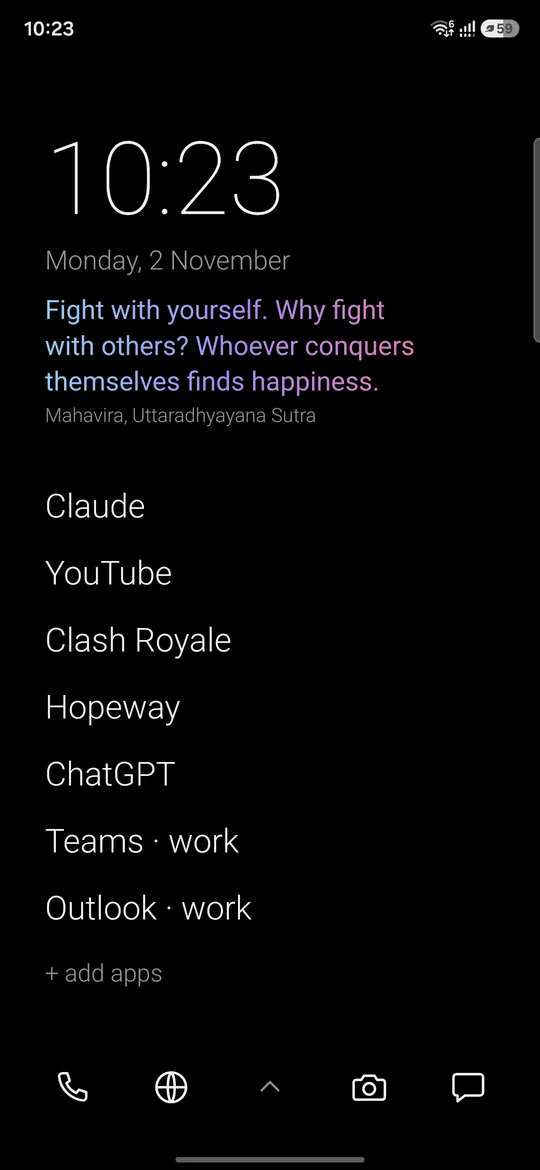
Home as a text list -
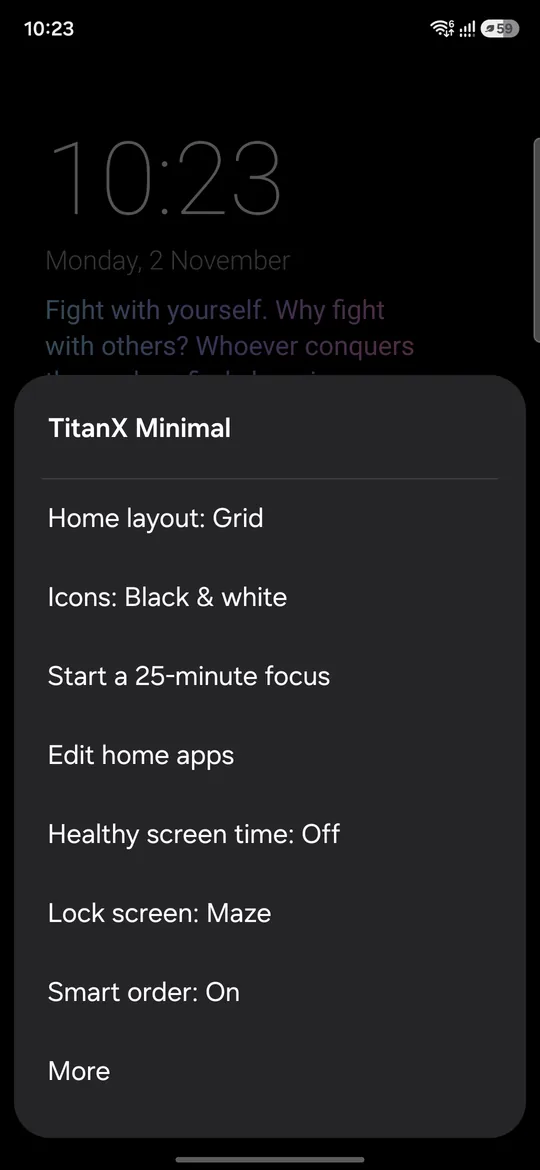
The settings menu
02 What it does
Only what you choose. Nothing else.
TitanX Minimal replaces your home screen with a quiet, black space showing only the apps you choose, as clean names or as a grid of icons in black & white or colour. Swipe up for every app, ordered by an on-device smart order that learns what you're likely to open next. Healthy screen time adds a short pause before social media and gentle check-ins, with one switch and three levels. A matching lock screen shows the clock, next alarm and notification icons, with an optional maze or snake game whose AI learns as it plays. Everything runs on your phone: nothing is collected or sent anywhere.
Home, your way
Home as a text list or an icon grid that resizes to fit; icons in colour or black & white.
On-device smart order
Learns from time of day, place and what you just used; never leaves the phone.
App drawer
Search, Personal/Work tabs and a work-apps pause switch.
Healthy screen time
Low, Medium or High: a pause before social apps, check-ins, a daily social budget, and optional notification digests at 12:30 and 18:30.
Custom lock screen
Black, paint, maze or snake (an AI that learns), torch and camera; it never covers calls or alarms.
25-minute focus timer
A simple timer for when you want to get something done.
Small and offline
No internet permission, no ads, no account, 325 KB.
03 Healthy screen time
A short pause before social media.
Healthy screen time adds a short pause before social media and gentle check-ins, with one switch and three levels.
- Pause before social apps. A moment to decide whether you want to open it.
- Check-ins and a daily social budget. Gentle prompts, set to Low, Medium or High.
- Optional notification digests at 12:30 and 18:30.
04 Lock screen
A matching lock screen. Calls and alarms stay on top.
The lock screen shows the clock, next alarm and notification icons, with an optional maze or snake game whose AI learns as it plays.
- Black, paint, maze or snake. Choose the look you want.
- Torch and camera are one touch away.
- It never covers calls or alarms.
05 Private by design
Nothing is collected. Nothing is sent.
TitanX Minimal has no internet permission, so it cannot send anything anywhere. It works fully offline.
- No internet permission
- Smart order stays on the phone
- No ads
- No account, no tracking
06 Permissions
Each permission is asked only when its feature is on.
| Permission | What it is for |
|---|---|
| Usage access | Screen time, app order, and never covering an alarm. |
| Notification access | Notification icons and social digests. |
| Display over other apps | The lock screen and the pause screen. |
| Approximate location Optional | Smart order by place, only while on screen. |
| Physical activity Optional | Walking or driving, for smart order. |
| Calendar Optional | Meetings, for smart order. |
| Notifications | Screen-time check-ins. |
Also the usual ones that Android grants at install: set wallpaper (the black wallpaper), expand the status bar, request app uninstall, set alarm, start at boot, network state.
07 How to install
Four steps, on your Android phone.
- 1DownloadTap Download free APK on this page, on your Android phone.
- 2Open the fileOpen the downloaded TitanX-Minimal-1.3.0.apk from your browser or your Files app.
- 3Allow your browser to install appsIf Android asks, allow your browser (or Files app) to install unknown apps. You can turn this off again afterwards.
- 4InstallTap Install, then open TitanX Minimal and choose it as your home app.
To update, download the new version from this page and install it the same way. Requires Android 11 or newer.
08 Verify your download
Check it is the file we published.
Compare the checksum of the file you downloaded with the one below. The signing certificate is the identity Android shows for the app.
File          TitanX-Minimal-1.3.0.apk
Package       com.titanx.minimal
Version       1.3.0 (versionCode 11)
Size          332509 bytes
APK SHA-256   adfa9e058e85edcfc26cf2f0641457552f988261fc406487ba7f79a224cc7664

Certificate   CN=Titan Technologies, O=Titan Technologies, C=FJ
Cert SHA-256  f3d0276d2051f32635767cf061006be5d6ea3e20fbede8e637200a849c54469b
On a computer: sha256sum TitanX-Minimal-1.3.0.apk should print the APK SHA-256 above, and apksigner verify --print-certs TitanX-Minimal-1.3.0.apk should print the certificate SHA-256.
09 Questions
Good to know
Why is it free here?
TitanX Minimal is free when you download it from titanx.tech. It will also be a paid app on Google Play.
Is it on Google Play?
Not yet. It is coming to Google Play. Until then, this page is the only place to get it.
Does it need internet?
No. TitanX Minimal has no internet permission and works fully offline, so nothing is collected or sent anywhere.
Which Android versions work?
Android 11 or newer.
How do I update?
Come back to this page and download the new version, then install it over the old one.